Ducking IPTV / Apple TV
Apple TV

The IPTV player that feels at home on Apple TV.

Ducking IPTV is a free player for the service you already pay for. One Universal app from the App Store covers Apple TV, iPhone, iPad and Mac — install it on the big screen, sign in with your Xtream Codes login or M3U playlist, and your channels show up with a real guide.

Free · Universal Apple app · Android APK · Fire TV & Firestick ready
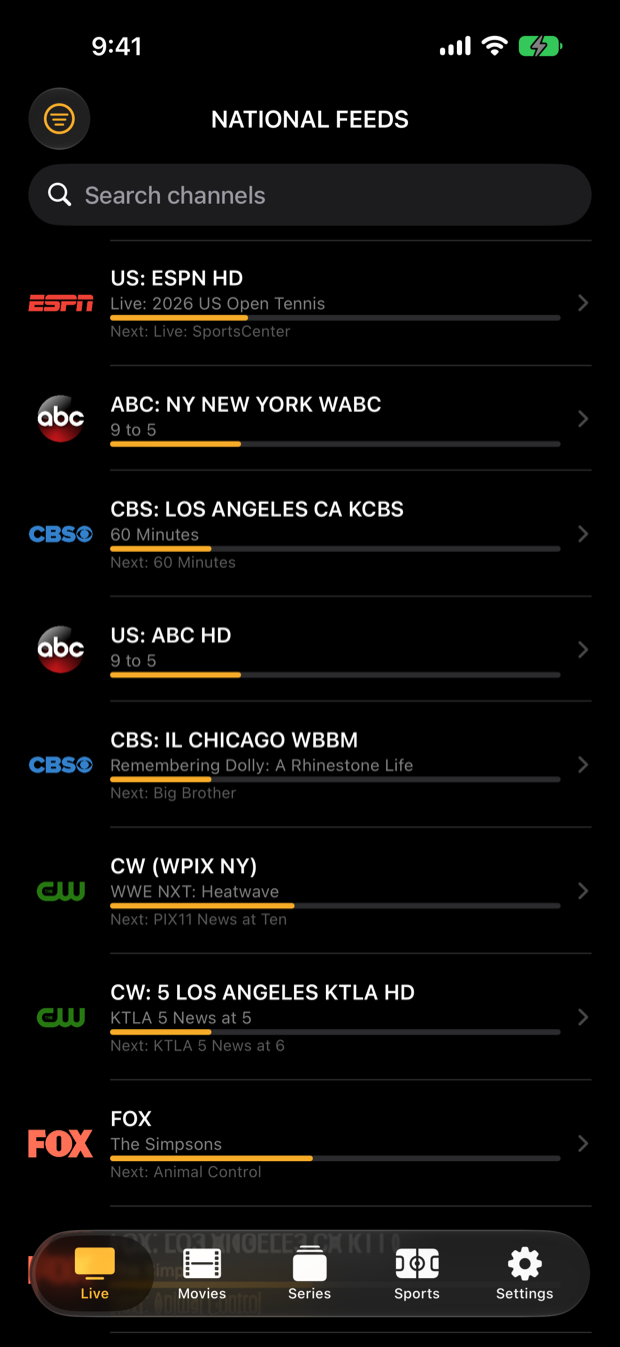
Ducking IPTV live channel list with now-playing program bars
Live & GuideChannels with now/next
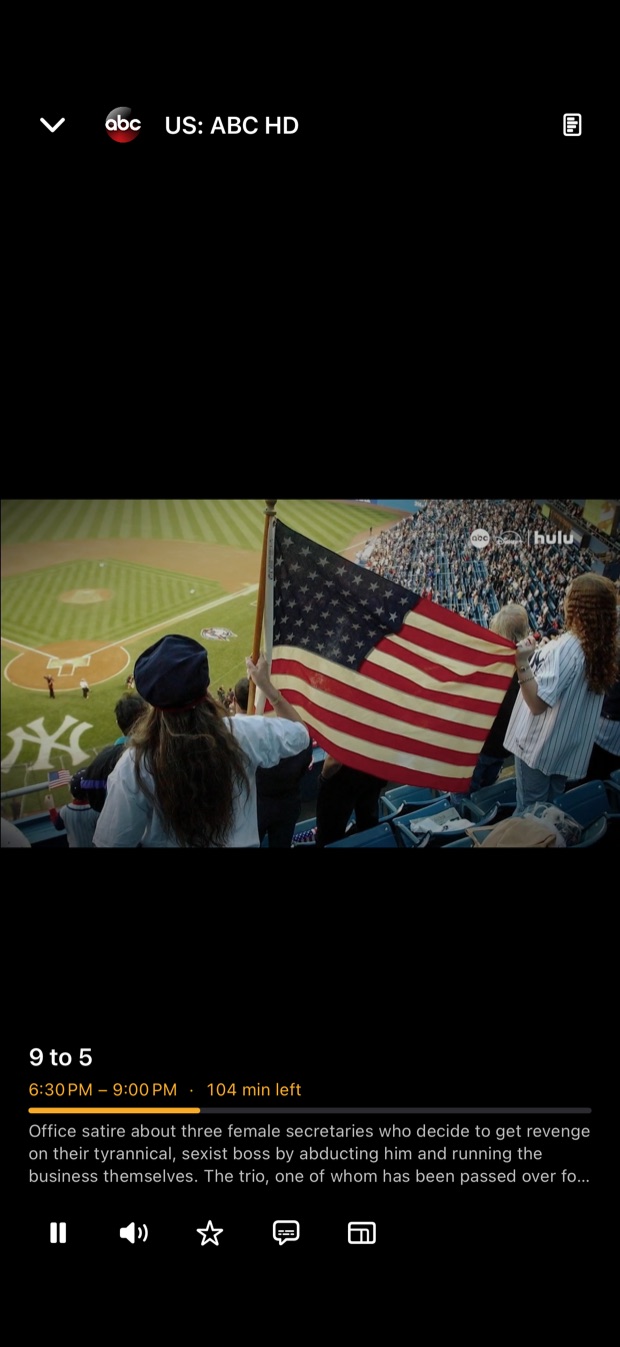
Ducking IPTV full screen live player
PlayerInfo, favorite, multiview
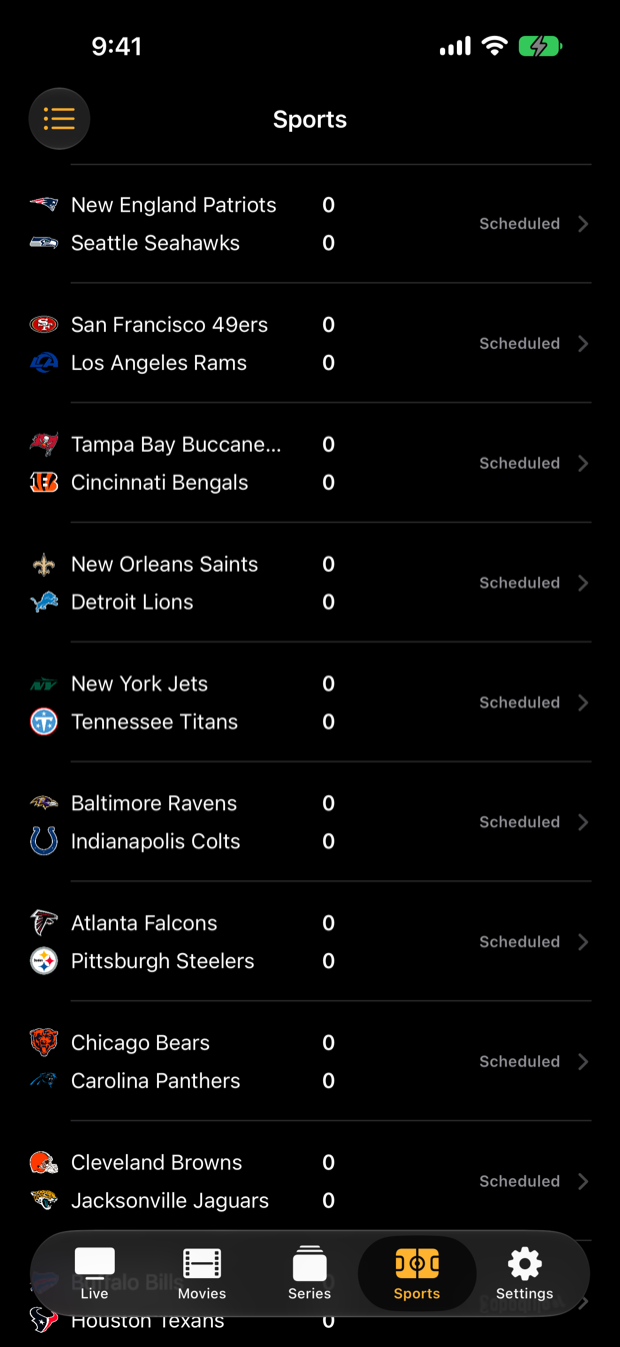
Ducking IPTV live NFL scores
SportsLive scores on the big screen

What you get on the big screen

Full EPG guide

A clean :00/:30 timeline with now-playing progress and what's next. Jump from the guide straight into full screen.

Multiview, up to 9 tiles

Watch a whole slate at once. Tile up to nine live channels in one grid and pop any tile out to full screen — built for game day.

Instant zapping

A single playback engine expands to full screen instantly and channel-surfs without the spin-up. One connection per channel.

Live sports & fantasy

Scores for NFL, NBA, MLB, NHL, soccer and Formula 1, box scores and standings, plus your Yahoo Fantasy matchup — without leaving the couch.

Movies & series

A polished on-demand player for your provider's VOD: rows, search, and full series with seasons and episodes.

Favorites that follow you

Star a channel on your iPhone and it is already there on the Apple TV. A free DuckTrack account syncs favorites, recents and watch progress.

Set it up in about a minute

  1. Install from the App StoreOpen the App Store on your Apple TV, search for Ducking IPTV and install. It is free. The same purchase-free app runs on iPhone, iPad and Mac.
  2. Sign in with your own serviceEnter the Xtream Codes details your provider gave you — server URL, username and password — or paste your M3U playlist URL. Ducking IPTV includes no channels of its own.
  3. WatchChannels, guide data and your on-demand library load from your provider. Star favorites, open Sports on game day, and use multiview when more than one game matters.
Good to know

Questions about Apple TV.

Is Ducking IPTV free on Apple TV?
Yes. The app is free on every platform. There is no Ducking IPTV subscription — you sign in with the IPTV service you already have, which Ducking IPTV does not sell or resell.
Does the Apple TV app include channels?
No. Ducking IPTV is only the player. It does not provide, host, sell or bundle any channels, movies or services. You connect your own Xtream Codes or M3U source from a provider of your choice.
Do I need a separate iPhone version?
No. It is one Universal app: buy nothing, install it once, and use it on Apple TV, iPhone, iPad and Mac with the same App Store listing.
Will my favorites carry from the Apple TV to my phone?
Yes, when you sign in with a free DuckTrack account. Favorites, recents and watch progress sync across every device and survive app updates.