Ducking IPTV / iPhone & iPad
iPhone & iPad

Your provider's channels, in an app that looks like it belongs on iOS.

Ducking IPTV turns the Xtream Codes login or M3U playlist you already have into a fast, dark, well-designed TV app on iPhone and iPad. Free on the App Store, one Universal app across iPhone, iPad, Apple TV and Mac. Requires iOS 17 or later.

Free · Universal Apple app · Android APK · Fire TV & Firestick ready
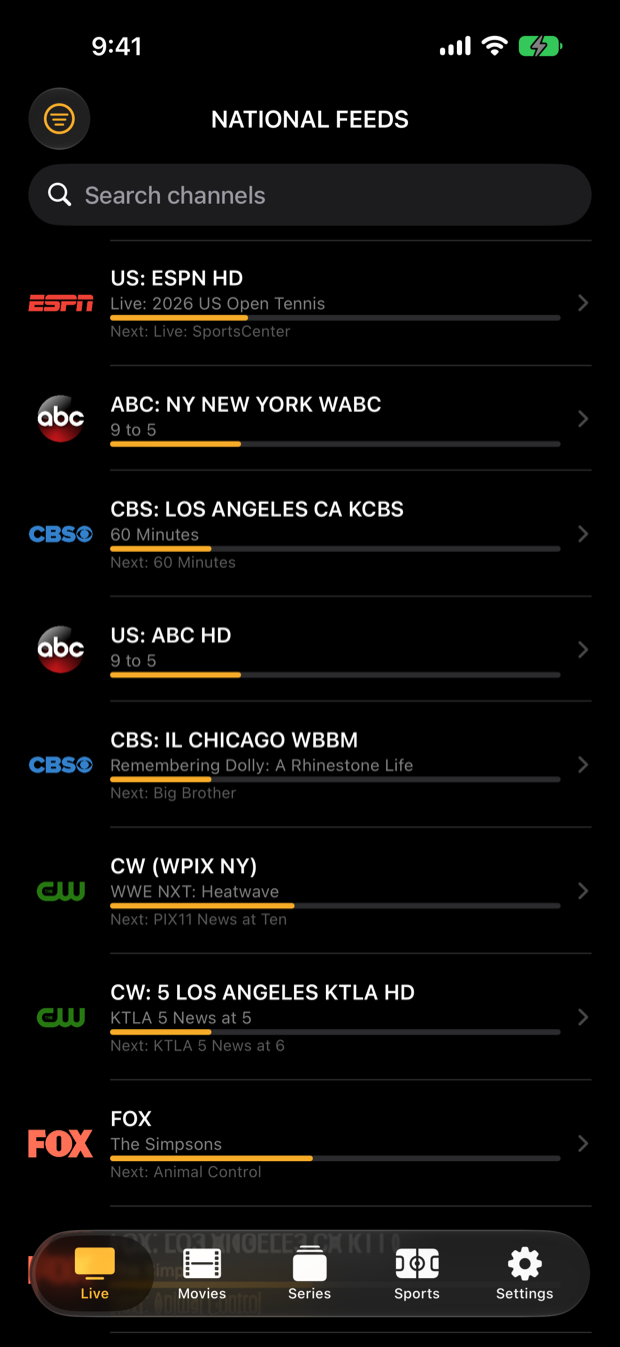
Ducking IPTV live channel list with now-playing program bars
Live & GuideChannels with now/next
Ducking IPTV sign-in screen with server, username and password fields
Sign inXtream Codes or M3U
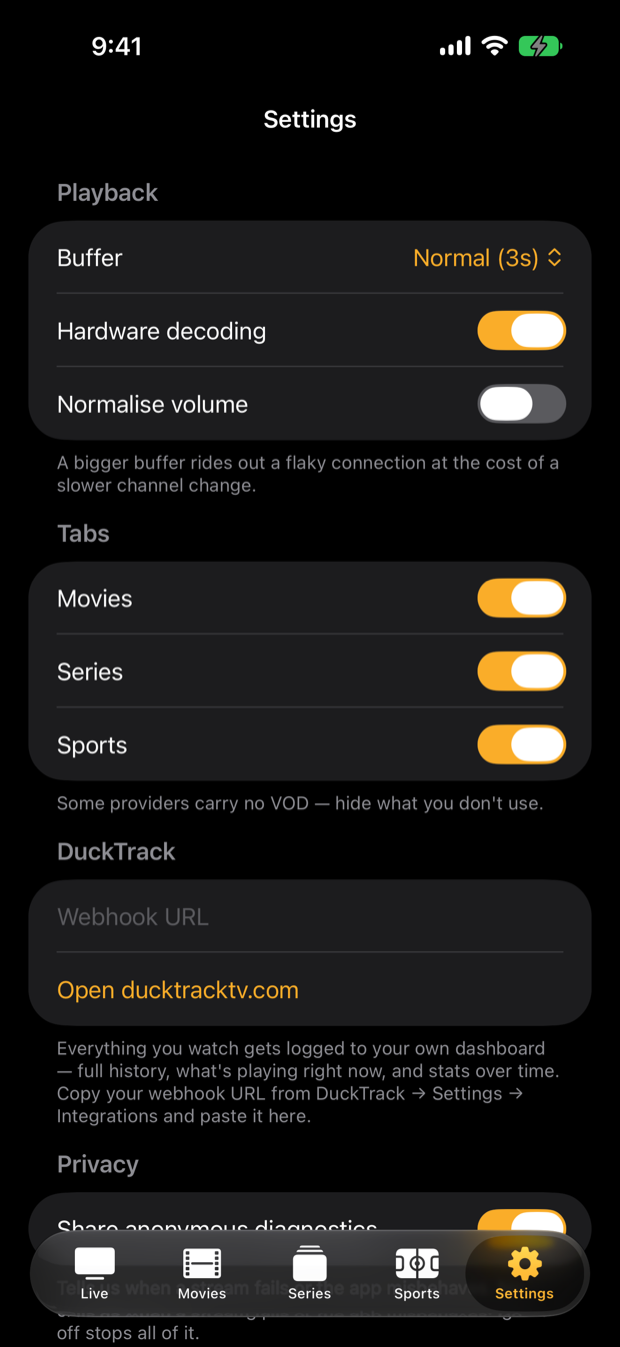
Ducking IPTV settings: buffer, hardware decoding, tabs, DuckTrack
SettingsBuffer, decoding, tabs
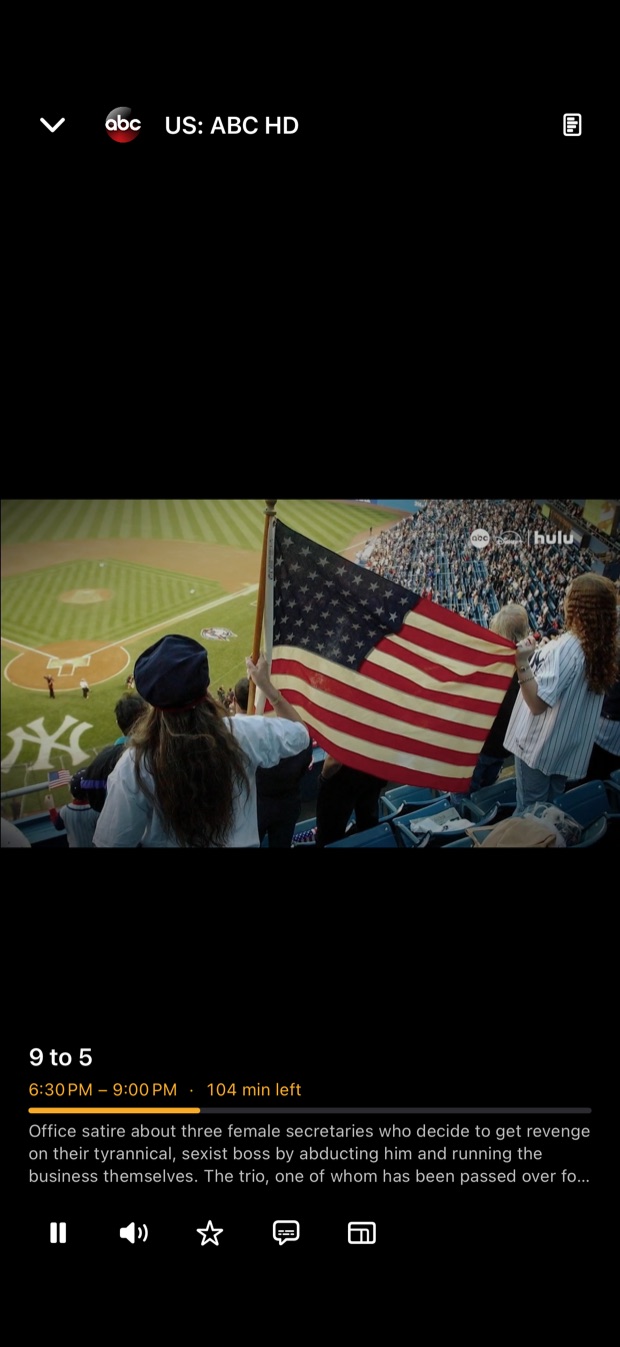
Ducking IPTV full screen live player
PlayerFull screen with controls

Built for the phone in your hand

Guide that fits a phone

Channel list with program progress bars and what's next, a search box, and a proper timeline guide when you turn the iPad sideways.

Single-engine player

Tap a channel and it plays. Expand to full screen instantly, surf channels without the spin-up, and keep program info a tap away.

iPad gets the full layout

On iPad the guide timeline sits under a picture-in-picture player, and Sports shows the scoreboard beside the box score.

Sports & fantasy in the app

Live scores for the major leagues, soccer and F1, standings, and your Yahoo Fantasy matchup with projected points.

Tune it to your connection

Settings for buffer size, hardware decoding and volume normalisation, plus toggles to hide the Movies, Series or Sports tabs your provider does not carry.

DuckTrack sync

Sign in to a free DuckTrack account and your favorites, recents and progress follow you to the Apple TV and Mac.

Getting started

  1. Install Ducking IPTVGet it from the App Store on your iPhone or iPad. Free, no account required to start.
  2. Enter your provider detailsOn the sign-in screen enter your Xtream Codes server URL (for example http://server:port), username and password — or paste an M3U playlist URL.
  3. Your channels appearLive channels, guide data and any on-demand library your provider offers load automatically. Star favorites and open Sports on game day.
On iPad

The bigger screen gets the bigger layout.

Ducking IPTV on iPad: live TV guide timeline with a picture-in-picture player
Live guide on iPadTimeline guide + live player
Ducking IPTV on iPad: channel list beside the live player with program details
Live player on iPadChannels, player and program info
Ducking IPTV on iPad: NFL scoreboard with a game picker
Sports on iPadScoreboard, pick a game for the box score
Ducking IPTV on iPad: NFL RedZone shortcut and Yahoo Fantasy connect
RedZone & Fantasy on iPadRedZone shortcut, Yahoo Fantasy
Good to know

Questions about iPhone & iPad.

Which iPhones and iPads are supported?
Ducking IPTV requires iOS 17 or later (iPadOS 17 on iPad). If your device runs iOS 17, it runs the app.
Is it the same app as the Apple TV version?
Yes — one Universal app on the App Store covers iPhone, iPad, Apple TV and Mac. Install it once on each device.
Does the app come with channels or a subscription?
No. Ducking IPTV is a player only. It does not provide, host, sell or bundle any channels or services; you sign in with an account from a provider you already have.
Can I hide tabs I don't use?
Yes. Settings lets you hide the Movies, Series or Sports tabs, useful when your provider carries no VOD.