Ducking IPTV / M3U playlists
M3U · M3U8 playlists

Paste your M3U playlist. Get a real TV app.

Ducking IPTV opens the M3U playlist URL your provider gave you the way a player like VLC opens the media you point it at — except it gives your channels a guide, favorites, multiview and a proper full-screen player. Free on Apple TV, iPhone, iPad, Mac, Android and Fire TV.

Free · Universal Apple app · Android APK · Fire TV & Firestick ready

Ducking IPTV sign-in screen with server, username and password fields
Sign inPaste your playlist URL
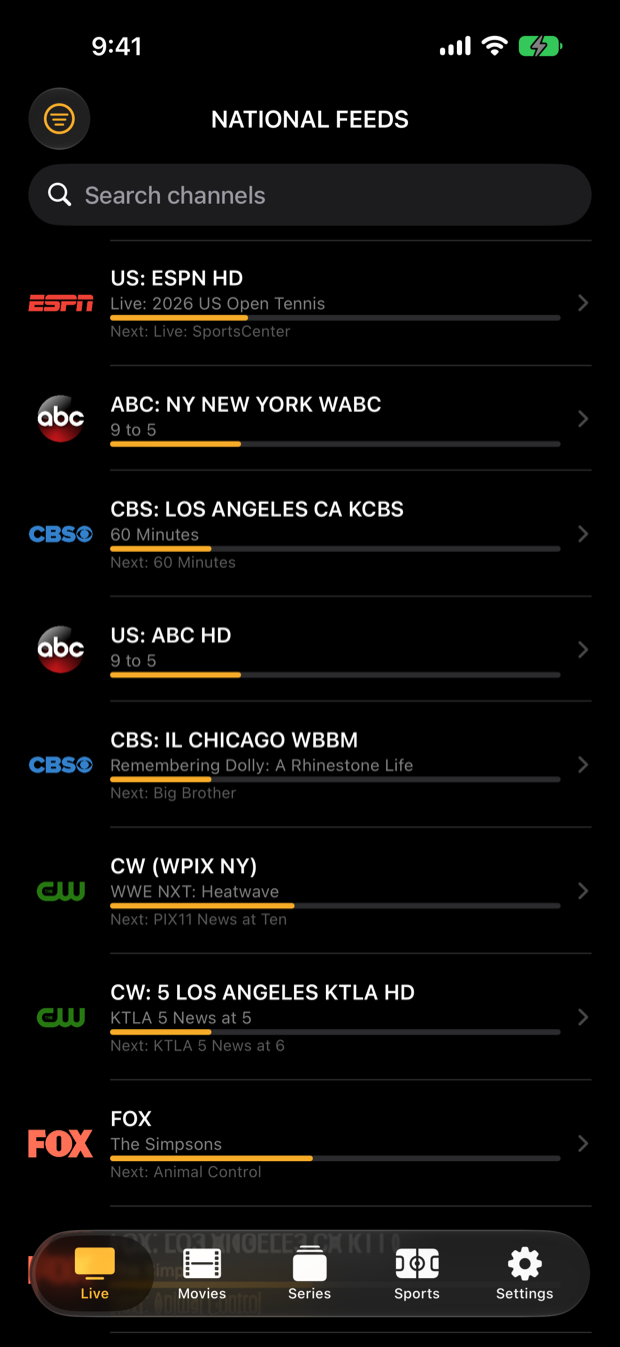
Ducking IPTV live channel list with now-playing program bars
Live & GuideChannels with now/next
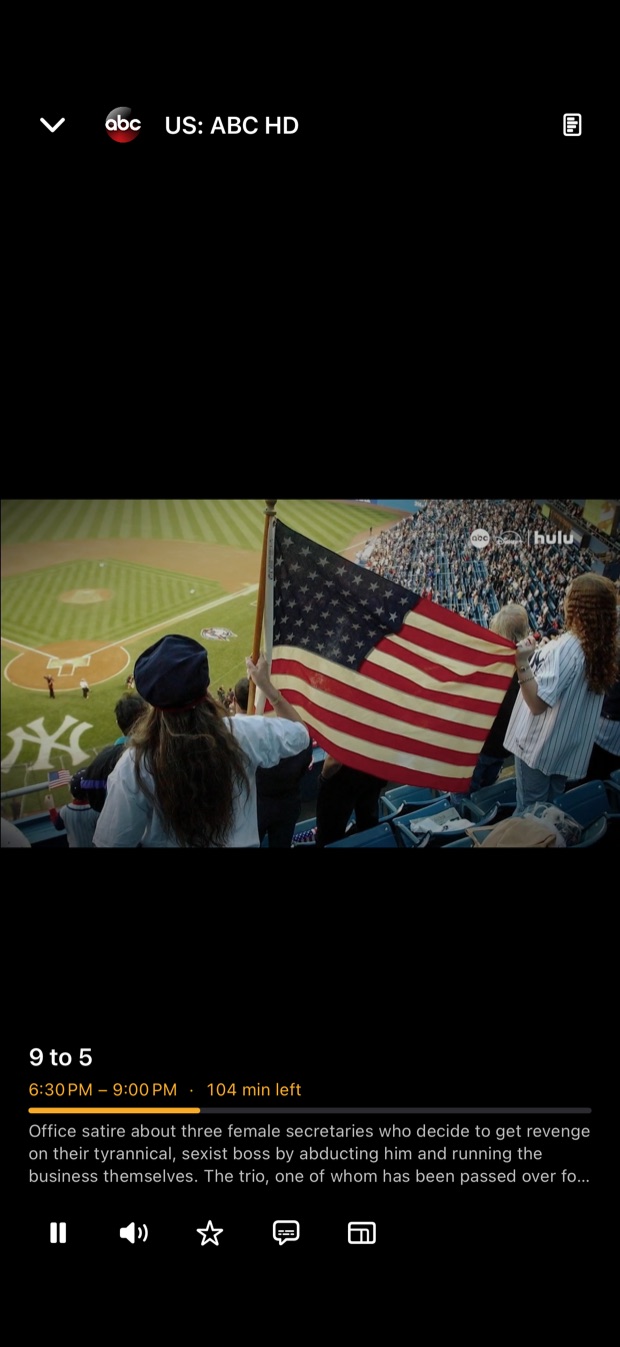
Ducking IPTV full screen live player
PlayerFull screen with controls

What your playlist gets

A guide, not a list

Channels grouped by category with now-playing progress and what's next, using the guide data your provider supplies with the playlist.

Favorites that sync

Star channels and pick up recents on any device — a free DuckTrack account keeps them in step across phone, tablet, TV and Mac.

Multiview

Tile up to nine live channels in one grid and pop any tile out to full screen.

Instant zapping

A single playback engine, one connection per channel, no spin-up between channels.

Sports & fantasy

Live scores, box scores and standings, and your Yahoo Fantasy matchup, with a jump to the game's channel.

Any playlist source

Ducking IPTV is not tied to a company. It plays the M3U/M3U8 URL you give it and never bundles a playlist of its own.

Sign in with an M3U URL

  1. Copy the playlist linkYour provider gives you a URL, usually ending in .m3u or .m3u8 or containing get.php. Copy the whole link.
  2. Paste it on the sign-in screenOpen Ducking IPTV and paste the URL. If you were given a server URL, username and password instead, use the Xtream Codes sign-in.
  3. WatchYour channels load with any guide data your provider includes. Star favorites, hide unused tabs in Settings, and open Sports on game day.
Ducking IPTV includes no playlist. It is a player only — it does not provide, host, sell or bundle channels, and there is nothing to watch until you paste a playlist you already have from a provider you already pay.
Good to know

Questions about M3U playlists.

Does Ducking IPTV support M3U8 as well as M3U?
Yes. Paste the playlist URL your provider gave you, whether it ends in .m3u or .m3u8.
Will I get a program guide with an M3U playlist?
Ducking IPTV shows the guide data your provider supplies alongside the playlist. If the provider includes none, you still get the channel list, favorites, multiview and the full-screen player.
Is M3U or Xtream Codes better?
Either works. If your provider offers both, an Xtream Codes login usually exposes the movies and series library more completely. Ducking IPTV supports both on every platform.
Where do I get a playlist?
From an IPTV provider of your choice. Ducking IPTV does not sell, include, resell or recommend any service.