Ducking IPTV / Xtream Codes
Xtream Codes API

An Xtream Codes player that does justice to your service.

If your provider gave you a server address, a username and a password, that is an Xtream Codes login — and Ducking IPTV turns it into a proper TV app. Live channels with a real guide, your movies and series library, favorites that sync, and live sports built in. Free on every platform.

Free · Universal Apple app · Android APK · Fire TV & Firestick ready

Ducking IPTV sign-in screen with server, username and password fields
Sign inServer, username, password
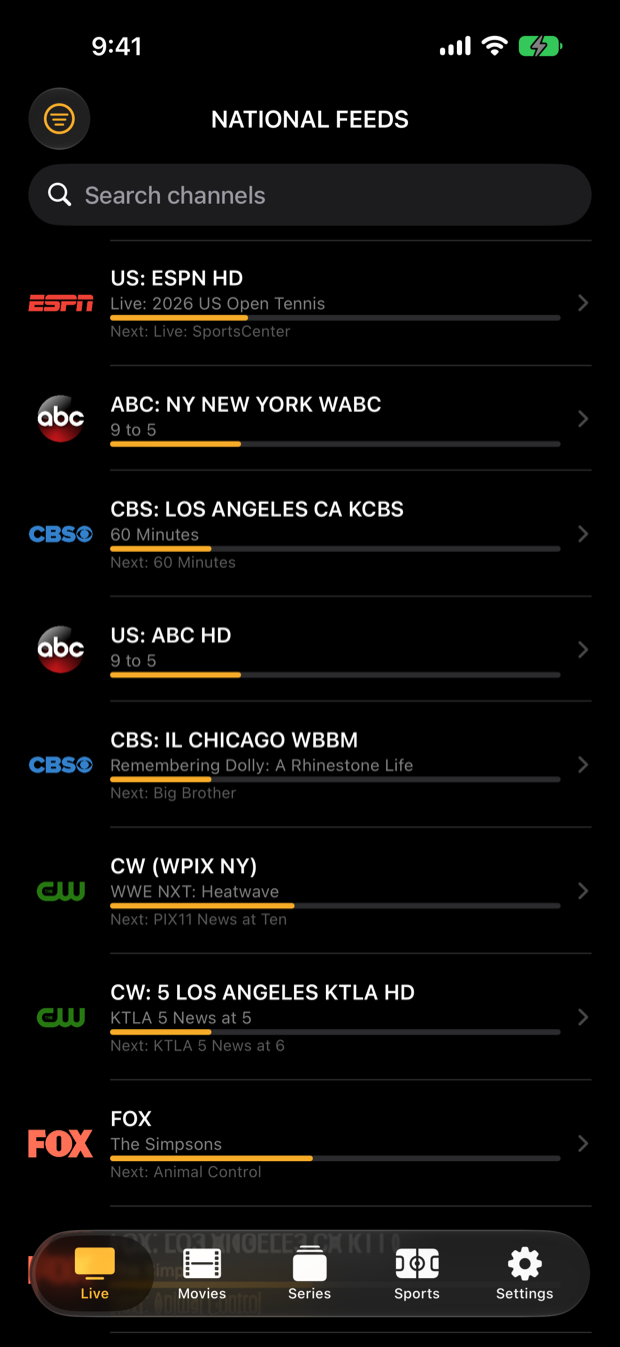
Ducking IPTV live channel list with now-playing program bars
Live & GuideChannels with now/next
Ducking IPTV full screen live player
PlayerFull screen with controls

What an Xtream Codes login unlocks

Live TV with the guide

Your provider's channel list with categories, a :00/:30 timeline, now-playing progress and what's next.

Movies & series

Xtream Codes services usually carry VOD. Ducking IPTV lays it out in rows with search, and full series with seasons and episodes.

Favorites & recents

Star channels and pick up where you left off. With a free DuckTrack account they sync across all your devices.

Multiview & instant zapping

Up to nine live tiles in one grid, and a single playback engine that changes channel without the spin-up.

Sports & fantasy

Live scores, box scores and standings for the major leagues, soccer and F1, plus Yahoo Fantasy — and a jump to the game's channel.

Any standards-compliant panel

Ducking IPTV is not tied to any company. Any standards-compliant Xtream Codes panel works; it never bundles or recommends a provider.

Sign in with Xtream Codes

  1. Find your three detailsYour provider's welcome message includes a server URL (looks like http://server:port), a username and a password. If you were given an M3U link instead, see the M3U guide.
  2. Enter them on the sign-in screenOpen Ducking IPTV, type the server URL, username and password, and tap Sign in.
  3. Everything loads automaticallyLive channels, guide data and the movies and series library your provider offers appear on their own tabs. Hide any tab your service does not carry in Settings.
What Ducking IPTV is not: it is not a channel provider, not a subscription, and not tied to any company. It ships with no channels, no playlists and no provider directory — there is nothing to watch until you sign in with an account you already have from a provider you already pay.
Good to know

Questions about Xtream Codes.

What is an Xtream Codes login?
A set of three details — server URL, username and password — that many IPTV providers issue for their service. Ducking IPTV uses them to load your channels, guide and on-demand library.
My provider gave me an M3U link, not a login. Can I still use the app?
Yes. Paste the M3U playlist URL on the sign-in screen instead. See the M3U playlist guide.
Does the guide (EPG) work with Xtream Codes?
Yes. Ducking IPTV loads the guide data your provider supplies and shows it as a timeline with now-playing progress. Guide quality depends on the provider.
Where do I get an Xtream Codes account?
From an IPTV provider of your choice. Ducking IPTV does not sell, include, resell or recommend any service — it is only the player.